norc-desktop
One view of your cron jobs. Edit them safely.
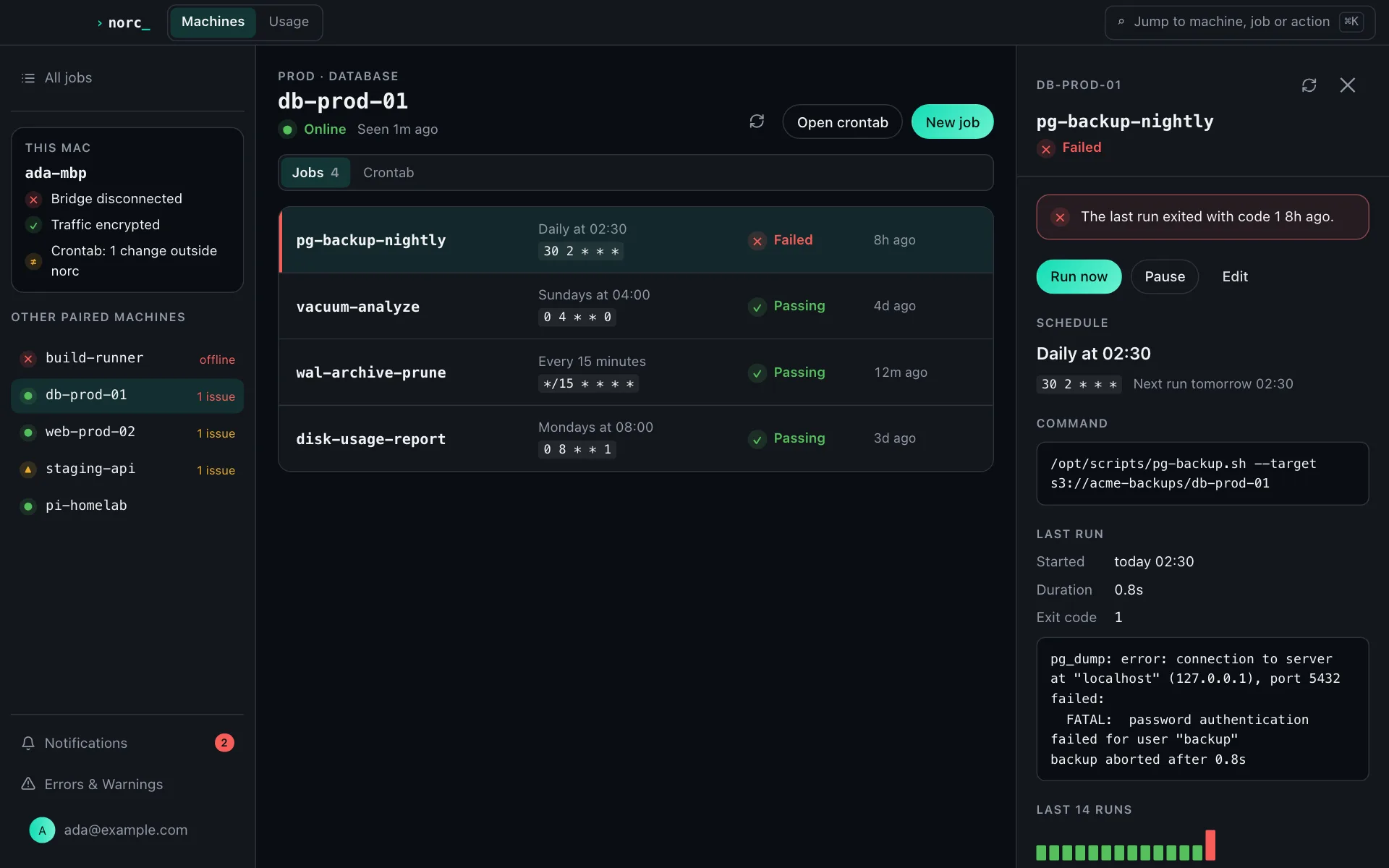
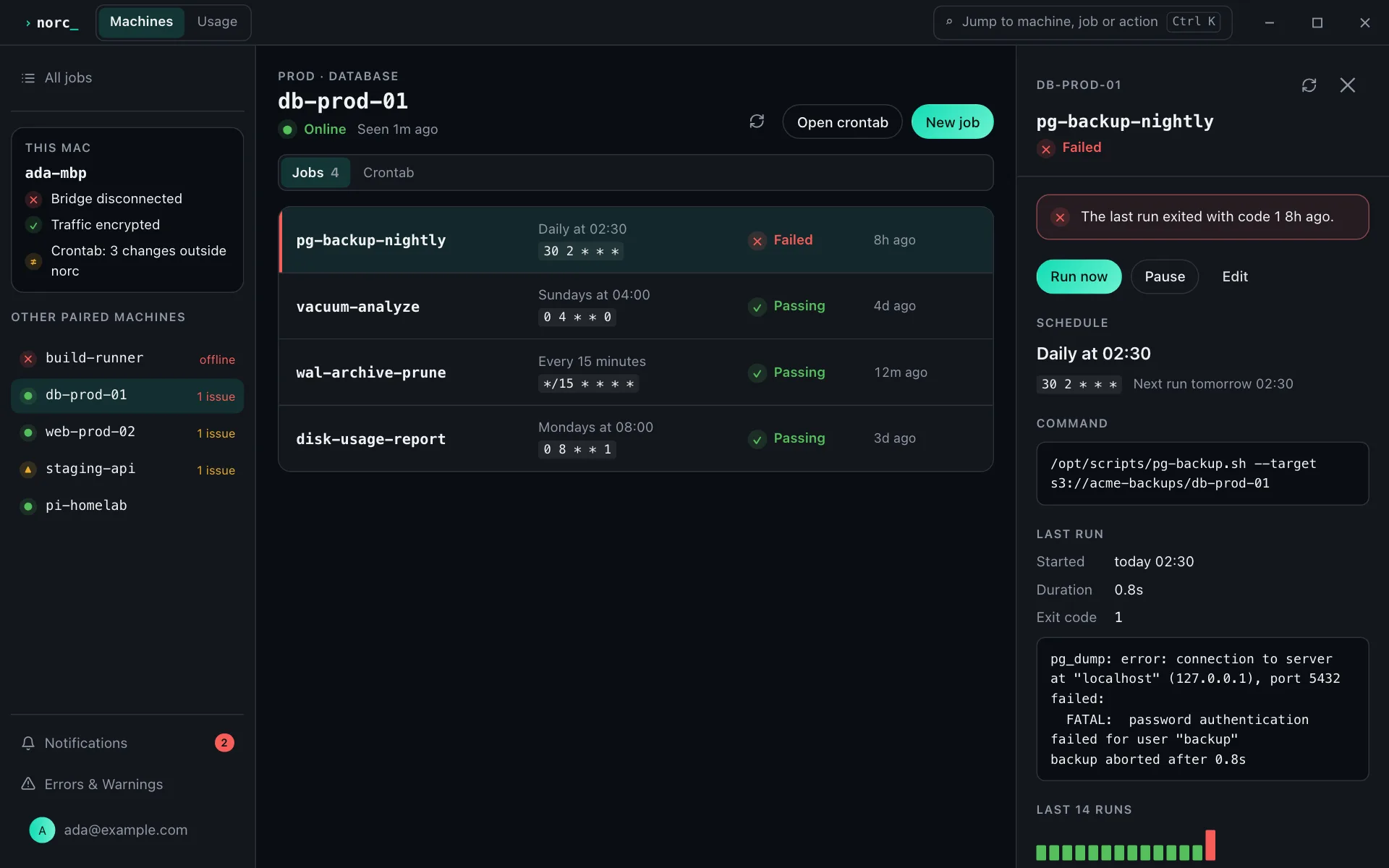
norc-desktop shows this machine's jobs in one window, previews the next runs and writes changes to the real crontab. It touches only the jobs norc manages and flags when the crontab drifts.
Prefer headless? → norc-cli
Install norc-desktop
Live today on macOS and Linux. Windows packaging is in progress.
| Platform | Install | Version |
|---|---|---|
| macOS | brew install --cask norcapp/norc/norc-desktopApple Silicon | v0.2.2 |
| Linux | AppImage, .deb and .rpm (x86_64 and arm64) | v0.2.2 |
| Windows | winget / Chocolatey / Scoop | In progress |
Know this machine is in sync.
Pairing, connection and crontab status sit at the top of the window.
What the window does
Status first, editing second.
Device pairing
Pairs the machine to your norc account with the same device-code flow as norc-cli. Enter the code once and the machine is paired.
Live connection
Keeps a live connection for presence and remote reads/writes, so this machine stays reachable from the vault and other paired devices.
Writes to your real crontab, flags drift
Writes norc jobs to the real local crontab, leaving hand-written entries untouched, and flags when the crontab diverges from what norc expects: a hand edit, a stray script, a job that fell out of sync.
Cross-device sync with the CLI
Jobs and machines stay in sync with norc-cli and every other device you sign in from.
Status at the top
Paired, bridge connected, crontab in sync: those three states lead the window, with local job editing underneath.
Desktop or CLI
norc-cli runs headless, the right choice for a server. norc-desktop is a window for a machine you sit in front of.
| norc-cli | norc-desktop | |
|---|---|---|
| Runs headless | Yes | No |
| At-a-glance status window | No | Yes |
| Drift detection UI | No | Yes |
| Cross-device sync | Yes | Yes |
Prefer headless? See norc-cli →
one view, safe edits, no SSH.
norc-desktop shows this machine's jobs and edits the real crontab.